Friday, June 6, 2014

The Final Final: Year End Tech News

Technology in the Classroom at CAIS
May/June 2014 Edition
  
Time flies when you're having fun...with technology! As the year draws quickly to a close, we wanted to take a moment to share some of the exciting news about end-of-year technology projects that have been happening in our very own classrooms.

Looking back, it has been a momentous year for CAIS in educational technology. We are so impressed by the efforts you have made to develop your skills and find new and creative ways to integrate technology to your classrooms. We applaud you all for the great work you have done and look forward to collaborating with you on more tech projects next year!

Best wishes for a relaxing, rejuvenating summer.

Thank You, Brad
The end of every school year brings mixed emotions. We
look forward to new beginnings while also having to say some sad farewells. This year CAIS loses a longtime, tireless and devoted employee, one whom we personally know well. Brad Wright deserves the lion's share of the credit for what CAIS's technology program is today. It is thanks to Brad's wisdom, vision and leadership that the very content of this newsletter exists. Brad's exceptional qualities are seemingly too numerous to list: he is selfless in his willingness to help; unfailingly patient; unflappable in the face of adversity. He is someone we all rely upon and trust implicitly.

Brad, we thank you for your immeasurable contributions to this school. It has been a pleasure and a privilege to work with you, and we wish you all the very best.

Oral Presentations Go Digital

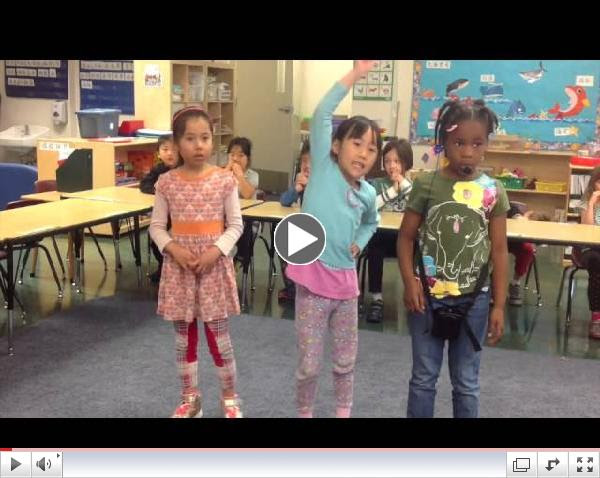
In preparation for their final presentations, first graders created digital collage animation videos using the Pic Collage and Puppet Pals iPad apps. In Pic Collage, students searched for images and created two or three digital collages based on their own stories. Then in Puppet Pals students created a personal avatar using photos of themselves. Finally, students recorded their speech by manipulating the avatars and flipping through the collage photos. These animation videos became background videos on their oral presentation day. Here is a cute video of a student describing "What is Courage".
What is Courage?  
  
Design Your Dream Shoes, Then Bring Them to Life!
If you could design the coolest pair of shoes you could possibly imagine, what would they look like? And moreover, what would they do if you could bring them to life? In Lisa Ostapinski's second grade art classes, students recently tackled these very questions. First students designed their dream shoes, then created them out of clay. Next students received a crash course in stop motion animation (think:Gumby or the old school Rudolph the Red Nosed Reindeer movie!) Using iPads and the iStopMotion animation app, students worked in groups to animate their dream shoes in a short video. Check out an example of the dream shoes in action below!
Second Grade Dream Shoes Animation 

Animal Folk Tales Play

Have you ever wondered why different animals have their own extraordinary features? Fifth graders would love to share their thoughts with you! In Michael Hsu's fifth grade Chinese classes, students chose one special feature of an animal and developed their own stories about that feature. In groups of four or five, students selected one student's story and developed the story into a play. They prepared the props and practiced their expressions for about a week before the actual iMovie shooting. Take a look at one student's video "Why The Snake Is Long" and see how students immersed themselves in their roles!

Digital Books Meet Colonial America 

In a project involving what has undoubtedly become one of the most popular apps used in classroom technology at CAIS this year, Ron Morris's fifth graders used Book Creator to digitize their informational books on colonial trades. Each year, Ron has incorporated technology in a different way to this project, a perennial favorite among students. Students research a specific colonial trade and present the results of their findings both through an informational book and physical artifacts which they create. At Colonial Day, the culminating presentation, visiting parents and students stopped by fifth graders' stations to view artifacts and browse through the digital books displayed on student iPads. To see an example (and perhaps learn something about the colonial shoemaker), click here!


Six Seconds of Science!
Design and conduct your very own science experiment...then present it in six seconds! Sound like a daunting task? Not for our sixth graders! In a collaborative project between Mark Churchill's sixth grade math/science class and Jeri Countryman's technology class, students created short, snappy videos illustrating their science fair projects. Their challenge: to clearly show their experiment (the what, why and how) plus the experimental results in a six second video. Students began by creating a storyboard and then learned iMovie skills such as how to insert photos and videos, edit and trim clips, and add titles. After creating their videos using iMovie, the final projects were compiled into one master video file and projected on loop during the Middle School Science Fair. Check out one example of a student video below (and remember, this will only take six seconds of your time!) 

Confucius is Coming

Two thousand years ago, Confucius said: "Teach students according to their aptitude", "Do unto others as you would have them do unto you", and "Two heads are better than one". This year sixth graders in YaChing Hsu-Kelkis's Chinese classes learned these famous sayings from the Analects of Confucius. Students not only memorized these sayings but also related them to their own lives. Using Google Docs, they collaborated in small groups to develop their own play scripts. Then they assigned roles to their group members and practiced the acting before shooting video. Students enjoyed acting out their own stories and editing the footage using iMovie. Check out one group's video below!

Creating Interactive Digital Magazines
For the second year in a row, sixth graders in Jake Sproull's English Humanities class rounded out the year by flexing their digital publishing muscles! In their capstone writing project, sixth graders created their own magazines on a topic of their choosing. Students had the option to "go digital" with part or all of their magazine. In a collaboration with Jeri Countryman's technology class, students learned to use iBooks Author, a Mac application, to create a digital book with a section that included a short story and an interactive ad. In addition, students learned to use BookryWidgets to create fun interactive widgets. To see an example of a student's digital story and interactive ad, click here. To view a student's final magazine project, click here.

Disease-Fighting Superheroes in Science Class 
Evil HIV cell Herman I. Vernon, meet Lymphina, the HIV-fighting superwoman! In small groups, students in Susan Sherman's seventh grade science class chose a disease-causing pathogen and conducted research on their nefarious bug. Instead of writing a report, students wove together a storyline involving a superhero, supervillain and super-powered animal to illustrate their findings. Using the Comic Life iPad app, students then brought their tales of triumph over disease to life! Check out one student's project in the photo, taken at this year's fantastic Middle School Science Fair on June 4.
  

Upcoming Technology Professional Development Opportunities
Harker Teacher Institute - Palo Alto, CA, June 7
iCore - Crystal Springs Uplands School, June 9-10
Teach 21 West - San Francisco, CA, June 23-26
Institute for 21st Century Educators - Oakland, June 24-26
Organizing Your Makerspace - Lighthouse Community Charter School, Oakland, CA, June 26 
The iPad Classroom - UC Berkeley, July 7-9
The Advanced iPad Classroom - UC Berkeley, July 10-11
Design Making Experiences - Lighthouse Community Charter School, Oakland, CA, July 17-18 or August 7-8
Google Apps for Education CA Summit - Palo Alto, July 19-20
CUE Rockstar Teacher Camp - Las Vegas, NV, July 21-23
Fall CUE Conference - Napa Valley, CA, October 24-25

Wednesday, April 30, 2014

The Spring Ed Tech Roundup

The latest and greatest tech news from the classroom at CAIS. Read on to learn about what our teachers and students have been doing with technology in April!

Interactive Books Enliven Kindergarten Reading Centers
In McKenzie Morgan and Kimberly Reid's kindergarten classes, students are experiencing a new level of interactivity in their reading centers thanks to fun interactive reading apps! Students work in reading centers and rotate through an iPad station approximately once per week. There students may read an interactive eBook, such as "All By Myself" by Mercer Mayer. Students who are learning to read can build their literacy skills by listening to the story narration. In addition, students can learn new vocabulary through tappable words and pictures. After reading the book, students work on making text-to-self connections. Another reading app used by some kindergarteners at their iPad stations is Lexia Reading, which allows pre-readers to develop phonemic awareness. Finally, some students who need work on reading and spelling sight words use a Sight Words app. Our kindergarten teachers are finding that the iPads are proving to be useful tools to differentiate reading instruction in their classrooms!
 
First Graders as Chinese Music Video Producers
Budding rock stars in our midst! This month first graders in Sue Geng's class choreographed, directed, and performed their very own music videos. Using a Chinese version of the classic children's tune "If You're Happy and You Know It" (如果感到幸福你就拍拍手), students worked in groups and assumed different roles in their music video production. One student served as director/videographer while two children choreographed and another assumed the role of lead singer. They may have missed the lyrics once or twice or even been a bit off-key, but they were having a great time learning Chinese and making music videos! Check out the adorable results of their efforts below!
G1music video 

Digital Storytelling Meets Writing Workshop
"Little pig, little pig, let me come in!"
"Not by the hair of my chinny chin chin!"
These words from the classic fairy tale "The Three Little Pigs" became the inspiration for our second graders to compose their very own fairy tales this spring. In Ryan Hughes and Diana Gross/Lisa Ma's second grade English classes, students completed a Writing Workshop unit on fairy tales. First, students hand-wrote and illustrated their stories. Then they brought their stories to life through digital storytelling. Students used Drawing Pad to create their illustrations and SonicPics to record their voices as they read their stories aloud. Check out an example of a student's fairy tale project below!
Andrew's fairy tale 

Students Get Imaginative with Chinese Digital Books
Learning transition words has never been so easy...or so much fun! Second grade students in ChiChi Su and Teresa Shyu's classes practiced writing with transition words in a fun digital book project. First students brainstormed an idea for something they would like to have. Next students wrote about what they would want to do with that item if they were to get it! In their writing, students were required to use transition words such as "first", "next", "then", and "last". Students illustrated their writing using Drawing Pad iPad app, then imported their pictures to Book Creator and recorded themselves reading their stories aloud. Check out the sample student video below, in which one student proclaims: "If I have a dragon, first I will take him to barbecue marshmallows in the sun!"

 
Using Graphic Organizers to Enhance Chinese Writing
Third graders in Teresa Shyu and Weiwen Yang's classes used Kidspiration and Popplet to create graphic organizers to help prepare for in-class debates. First, teachers showed students different examples of mapping diagrams that could be used for opinion and narrative writing. Then students worked individually or in groups to create their own mind maps. Students created thought bubbles to capture their ideas and connected related bubbles to organize their thoughts. One significant benefit of using these graphic organizers was that the maps made it easy for teachers and students to identify where more detail was needed to expand students' ideas.

Writing Workshop Goes Digital: Take 2!
Google Drawing of Mission San Fernando Rey de Espana
Once again, our Lower School English teachers have put a new spin on informational writing with the help of technology. This year Anne Valentino and Sean Mosconi used their Social Studies unit on California Missions as the basis for their Writing Workshop study of informational writing. Fourth graders researched the missions using books and websites, then crafted informational writing projects that included many of the important features of an informational text. After composing their writing in Google Docs, students transferred their writing and images to Book Creator to create attractive digital books. In addition, some students opted to use Google Drawings to create an image of the layout of their mission! To see an example of a fourth grader's informational eBook, click here.
  
Learning About Immigration through Filmmaking
Are you familiar with your family history? How much do you know about the challenges your ancestors faced as immigrants? To answer these questions and learn more about immigration, fourth graders in Annie Liu and Cheryl Teng's classes interviewed family members or family friends about their immigration experiences. After the interview, students compiled their subject's responses into stories. Using iMovie, students then transformed the stories into movies by combining video footage of the interview, historical photos, subtitles and music. See an example of a student project below!

Let's Go to Africa!
Our sixth grade students have been busy honing their presentation skills this spring! In Jake Sproull's sixth grade English Humanities class, students researched an African country of their choosing. Concurrently, in technology class with Jeri Countryman, students learned to use two different
presentation apps: Keynote and Haiku Deck. For the Africa
project, students chose one of these presentation tools to share their discoveries about Africa with the rest of the class. Some of the required components of the presentation included a "fast facts" section of statistics, a timeline of the country's history, important sites, and culture. And, of course, students used plenty of images and graphics to make their presentations more visually appealing! Click here to see an example of a student project.  

 
Upcoming Technology Professional Development Opportunities
iCore - Crystal Springs Uplands School, June 9-10
CUE Rock Star Camps - Various locations in CA, June/July
Design, Do, Discover - Palo Alto, CA, June 19-20
Teach 21 West - San Francisco, CA, June 23-26
Institute for 21st Century Educators - Oakland, June 24-26
Google Apps for Education CA Summit - Palo Alto, July 19-20

Monday, March 31, 2014

Tech News from the Classroom!

Our iPads, MacBooks and Chromebooks have been getting a workout these past two months! Some recent highlights: first graders get creative on their iPads; fourth graders make healthy eating fun with multimedia presentations; and seventh graders teach us a thing or two about how to make dumplings. Read on to learn more about the latest and greatest technology happenings in the classroom at CAIS!

Just Me, Myself, and My Explain Everything Video
Would you like to personalize learning for your students and engage their imaginations? Sue Geng did just that with her first grade students! In this project, students learned how to describe themselves and their physical appearance. Using the iPad app Explain Everything, students created videos in which they took photos of one another, imported the images to videos and labeled their body parts in Chinese. Finally, working in pairs, students recorded themselves explaining the similarities and differences in appearance between themselves and a classmate. Check out the example below!


Creative Content Creation Meets First Grade Math
Looking for a way to liven up your math instruction? Check out what our first graders are doing in Chinese math! Students developed their own word problems to demonstrate their understanding of subtraction. Using iPads and the Explain Everything app, students created videos in which they illustrated, explained, and solved a word problem. See an example student video below.

 
Bringing New Life to Prewriting with Kidspiration Maps
Want to add some pizzazz to your writing unit? Consider trying Kidspiration! In a recent Writing Workshop unit on persuasive essays, fourth graders in Sean Mosconi's and Anne Valentino's classes used the iPad appKidspiration Maps to support their prewriting process. Using Kidspiration, students created a graphic organizer to display their thesis statement and supporting reasons. Not only were the diagrams visually appealing and fun to create, but they also helped students organize their writing and generate ideas. In addition, Kidspiration Maps has the added benefit of converting from visual diagram to text at the mere tap of a button! Click here to see an example of a student project in writing view.
 
Healthy Eating Made Fun through Multimedia
Think your diet might benefit from a nutritional tuneup? Ask our fourth graders for advice! In Chinese class, fourth graders learned about eating balanced meals based on six categories of nutrition: water, carbohydrates, protein, fats, vitamins and minerals. In this project, students used Google Presentations to design slides that illustrated healthy eating, then used Movenote to record themselves reading descriptions of their balanced meals. The final product was a multimedia video presentation with slides and synchronized videos. Click here to see an example!

Touring CAIS, Fifth Grade Style
Ever wondered what our campus looks like through the eyes of our students? As part of an ongoing collaboration with Tsai Hsing school in Taipei, fifth graders in Ron Morris's class were tasked with introducing the Taiwan students to the CAIS campus. In small groups, students worked together to produce videos presenting various parts of the school, such as the library, gym, music room, and playgrounds. Using iPads and the iMovie app, students recorded footage, edited it, added captions and music, then uploaded their videos to their shared Edmodo group for the Taiwan students to view. The results were both creative and highly entertaining! See a student project example below.
  
Lost and Found with GoAnimate
In a project that is a perennial favorite among fifth graders, students in Michael Hsu's Chinese class used an animated video site called GoAnimate to practice vocabulary relating to lost/found items. First students scripted stories in which they lost something of value to them. Next it was time to bring their stories to life using GoAnimate. To create their videos, students chose characters, added speech balloons containing text, then recorded their speech balloons by reading the text aloud. In the example below, a girl loses her sister. Will she manage to find her missing sibling? There's only one way to find out!

The Ever-Evolving Book Report
In yet another fun twist on the traditional book report, last month Jake Sproull's sixth grade English Humanities students created a "Character Caricature" to report on their historical fiction book of choice. In an integrated project with Jeri
Countryman's sixth grade tech class, students created a poster using the Sketchbook MobileX iPad app. In their poster, students had to portray important aspects of their character including name, physical characteristics, personality traits, and what the character might say. Students were also tasked with creating a background that represented a specific scene from the book. Finally, students had to back up their facts by citing specific page numbers related to poster elements.

Exploring Big Questions in Science with TED-Ed
Is space trying to kill us? How would our bodies work without the force of gravity? These are some of the questions our seventh grade students have grappled with through TED-Ed lessons in Susan Sherman's science class. TED-Ed is a fantastic resource that offers both original online lessons and the ability for educators to build their own lessons around a TED-Ed Original, TED Talk or YouTube video. Educators can add their own questions, discussion topics, and other supplementary materials to their online lesson. In seventh grade science class, students watch a short video, answer multiple choice questions, then post a response to a discussion prompt. If you haven't checked out TED-Ed before, take a peek and see if there might be something for you and your students!

Learn to Make Dumplings...Compliments of our Seventh Grade Chefs!
Dumpling making took on a new twist in Jiun Chou-Young's seventh grade Chinese class this year. Not only did students get a chance to make the tasty traditional Chinese treats, but they also created their very own tutorial videos to help others replicate the process! After making dumplings in class and documenting the process with photos and videos, students used iMovie on their iPads to compile and edit their footage. Finally, they added subtitles and recorded themselves reading pre-written, step-by-step instructions. Dumpling making newbies, take a look and you may learn something from our students!
  
Upcoming Technology Professional Development Opportunities
CUE Rock Star Camps - Various locations in CA, June/July
Design, Do, Discover - Palo Alto, CA, June 19-20
Teach 21 West - San Francisco, CA, June 23-26
Institute for 21st Century Educators - Oakland, CA, June 24-26
Google Apps for Education CA Summit - Palo Alto, CA, July 19-20

Wednesday, January 29, 2014

Writers Workshop Goes Digital! And More...

This month: Writers Workshop gets a digital twist; fifth graders connect with students across the globe using Edmodo; and first graders hone their stroke order skills with a fun iPad app. Read on to learn more about what's been happening with tech in the classroom at CAIS!

Writers Workshop Goes Digital
Informational writing just got a whole lot more exciting! This year, third grade English teachers Shannon Selerowski and Ryan Hughes introduced a new twist to their Writers Workshop unit on informational writing. Rather than creating traditional paper books, students used an iPad app called Book Creator to create digital books. Students chose a topic of interest to them and crafted books on their topics with many of the important features of an informational text. Even the publishing party got a digital twist: third graders visited first grade classes to share their eBooks. Students loved this new take on their writing project! To see an example of a third grader's informational eBook,click here.

Facebook for School? Why, it's Edmodo!
Want to create a safe, online community for your class where you can post notes, quizzes, assignments, resources, and more? Looking for a way to facilitate productive online discussions between your students in a way that is safe and secure? Consider tryingEdmodo! Several of our fourth and fifth grade teachers have been experimenting this year with this terrific online tool. In Ron Morris's fifth grade class, students are using Edmodo to access links to Khan Academy videos, check reminders about class assignments, and ask one another questions about homework. Edmodo has been met with rave reviews from students and their parents, too!

Flattening the Fifth Grade Classroom
Do you know how the typical day of a student in Taiwan compares to a student from the US? Just ask one of our fifth graders! Ron Morris and our fifth grade students have kicked off an ongoing collaboration with Tsai Hsing School in Taipei. For their first collaborative project, students at CAIS and Tsai Hsing recorded the ways in which they spent their time over a period of 24 hours. Next they compiled and analyzed their class data as they looked for similarities and differences between the schools. CAIS students used Google Spreadsheets to create colorful graphs (see below for an example) and posted the graphs to the two schools' shared Edmodo group. Stay tuned for further exciting collaboration with Tsai Hsing as the school year continues!
 

Book Reports for the 21st Century...Take Two!
In December we reported that book shares have taken on new life this year in Jake Sproull's sixth grade English Humanities class. In collaboration with Jeri Countryman's sixth grade technology class, students are using a different tech tool each month to report on their independent reading. This month students completed their book project using a fantastically fun and highly versatile iPad app:Puppet Pals! For their project, students created and recorded a video that featured several characters having a dialogue that described the book or a scene from the book. Some students chose to use stock characters included in the Puppet Pals app, while others chose to create their own characters. The results were both creative and highly entertaining! See a student project example below.
Sixth Grade Puppet Pals Book Project 

Unleashing Students' Imaginations with Google Presentations
Fourth graders have been busy honing their presentation skills in both languages this year! In Annie Liu and Cheryl Teng's Chinese classes, students learned to use Google Presentations to create posters raising public awareness on healthy habits (click here to see an example). Students built skills such as inserting clip art, manipulating colors, and arranging shapes to create colorful and eye-catching posters. Then in Anne Valentino and Sean Mosconi's English classes, students reinforced these newly learned skills by creating Google Presentations on Native Californian tribes. In small groups students studied one of California's native tribes and created a presentation containing information about their tribe such as location, food, and shelter. Finally, students presented the results of their research and their Google Presentations to their classmates. Click here to see an example of the fourth graders' work!


Making Memorizing Characters and Stroke Order Fun!
Want to make memorizing Chinese characters and stroke order more fun? Quizlet and Chinese Writer are the way to go! Both tools utilize a game-based learning environment which not only motivates students, but also enables them to practice at their own pace and receive immediate feedback. In fourth and sixth grade Chinese classes, students use Quizlet and choose from different study modes (like flashcards, scatter games, Space Race games, etc.) to memorize their newly learned Chinese vocabulary. In first grade Chinese classes, students practice tracing/writing the characters and earn points for using the correct stroke order. See below to watch a first grader in action!
First Grader Practicing Stroke Order


Upcoming Technology Professional Development Opportunities
East Bay CUE Cool Tools 2014 - Oakland, CA, Feb. 8
CUE Rock Star Napa Valley - Napa Valley, CA, Feb. 14-16
Annual CUE Conference - Palm Springs, CA, Mar. 20-22

Thursday, December 12, 2013

"Hour of Code" comes to CAIS!

From this week's school newsletter, the Thursday Flash:

Sixth Grade Students Participate in Worldwide ‘Hour of Code’


During Computer Science Education Week, from December 9-15, millions of students are learning computer code during the "Hour of Code." The campaign was launched by nonprofit organization Code.org and is designed to get students interested in computer science. The goal of the worldwide campaign is to get 10 million students of all ages to participate in the Hour of Code.
CAIS sixth graders participated in the Hour of Code on Thursday, December 12. Educational Technology Coordinator Kerri Willa and math and science teacher Mark Churchill teamed up to bring students a one-hour introduction to coding. The interactive activity included a lesson on computer generated drawings, a coding challenge and a free form activity using what students learned during the lesson.
"The idea is to show students that anyone can learn the basics of programming," Kerri Willa said. "Understanding the power of computing is crucial to success in today’s world, and Mark and I were excited to introduce our students to and participate in this worldwide campaign," she continued.

Wednesday, December 4, 2013

What's Happening in Classroom Technology


Welcome to my first 2013-2014 newsletter on technology in the classroom at CAIS! Each month I will bring you a sampling of the exciting classroom projects that are happening in the area of technology. Read on to learn about what's been happening with tech this fall at CAIS! 

Building Better Digital Citizens
Our school-wide implementation of the Common Sense Media digital citizenship curriculum is now in full swing! In the lower school, lessons are taught in English classes; in the middle school, Common Sense Media lessons are taking place in advisory. Students have been studying topics ranging from choosing good keywords for online searches to learning about their digital footprint. In third grade, students kicked off their digital citizenship lessons by brainstorming what the words "Common Sense Media" meant to them. Coming soon: Chinese translations of key vocabulary and questions for each Common Sense lesson to allow students to discuss newly learned concepts in Chinese.

  
Koalas, Emus and Dingos, Oh My!
This fall we unveiled a new keyboarding program to our third, fourth and fifth graders called Typequick. (Fun fact: it was once used by our very own Pete Moore with his students during his former life as a technology teacher in Australia!) In Typequick, students build keyboarding skills while traveling around Australia accompanied by adorable native Australian animals. Third through fifth grade English teachers have been busy introducing Typequick to their students in class. The new program is getting rave reviews from kids, who enjoy its video game-like features that make learning to type more fun!

A New Spin on Paperback Chinese Books
Kindergarten and first grade students and teachers are using technology to transform traditional paperback Chinese books into interactive, multimedia reading experiences. Using the Educreations iPad app, students and teachers take photos of the book pages and record themselves reading the books aloud. The digital storybook is automatically saved online for public access. Students can access these books at home using links that teachers email to their parents. In addition, teachers attach QR codes linked to the online storybooks to the back of the paperback books. Students use iPads at their classroom listening station to scan the QR code and read the digital storybook. See below to watch a Kindergarten student in action!
Kindergartener Reads Chinese Digital Storybook
Not Your Mother's Book Report
Book shares have taken on new life this year in Jake Sproull's sixth grade English Humanities class! As Jake has continued to innovate the integration of iPads to his curriculum, he has developed a new take on an old project: each month students are using a different tech tool to report on their independent reading. For their first book project of the year, students used iMovie to make a trailer designed to entice people to read their book. Each student had to incorporate basic literary elements such as theme, characters, a plot summary and setting to their iMovie trailer. "It definitely made it a more interesting and authentic way to share books," said Jake. See below to view an example of a student's iMovie book project.


Middle School Multimedia Essay Project
This year, seventh and eighth graders are experimenting with new ways to share their outdoor trip experiences. Seventh graders used iMovie to make short slideshows highlighting their trips. Eighth graders participated in an "Outdoor Trip Essay Press Release Event" in which they read their trip essays aloud and fielded questions from an audience of classmates, then created and edited videos of these presentations. In both seventh and eighth grades, students posted their videos online and created QR codes linked to the videos. Finally, students printed out their QR codes together with their essays. Click here to see a sample of a student essay. Don't forget to scan the QR code with your smartphone to watch the video! 

Fall CUE Gets High Marks from Teachers
On October 25-26, four CAIS teachers (Kimberly Reid, Ryan Hughes, Susan Sherman and Jake Sproull) joined our educational technology coordinators for two days of learning about teaching with technology in sunny Napa Valley. Mark your calendars for the next great opportunity for ed tech PD: the fantastic Annual CUE Conference in Palm Springs, CA, on March 20-22, 2014!